

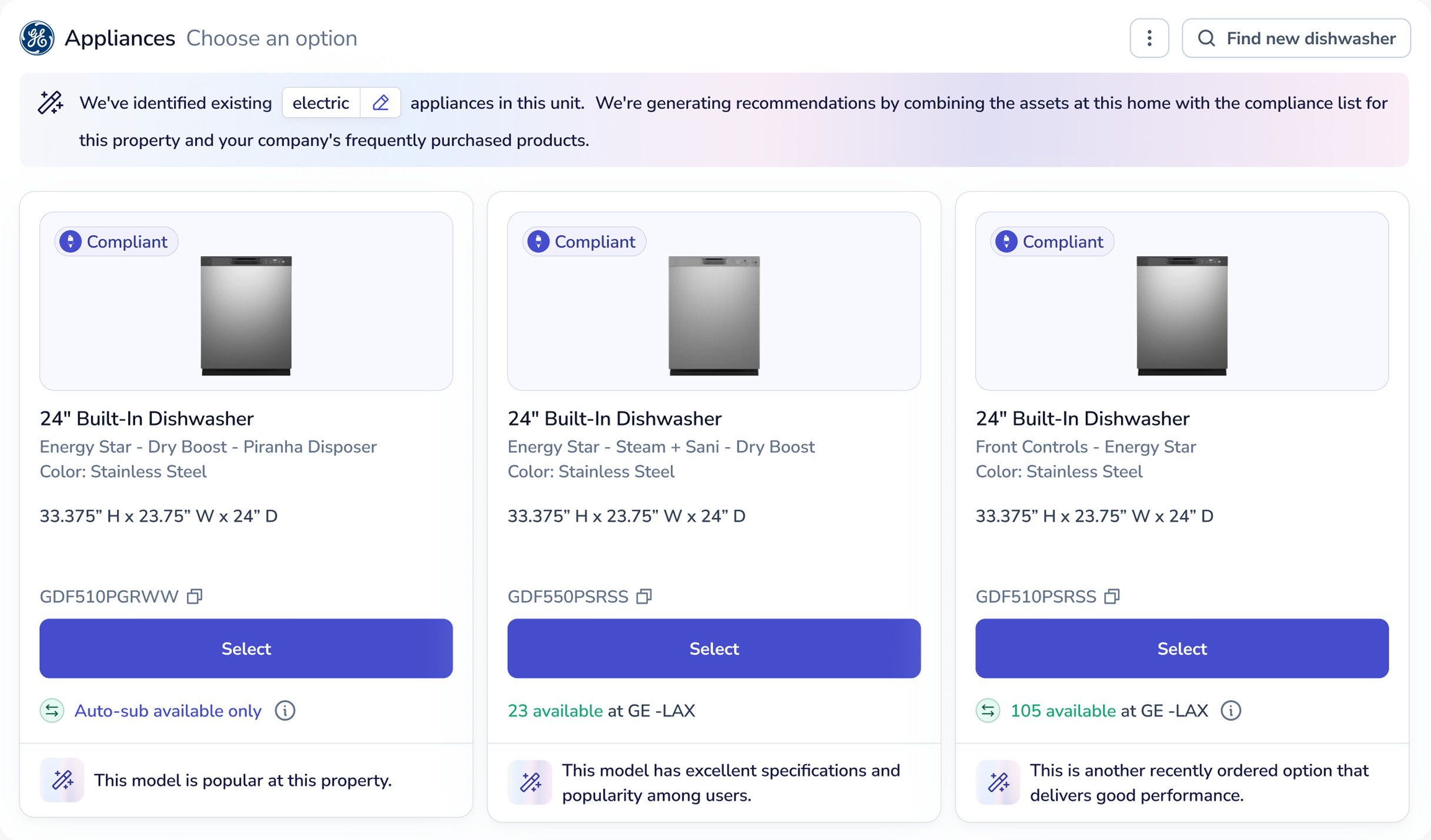
Smart Shop starts with what Sibi knows about the property. Enter an address and get appliance, HVAC and paint options that fit, so your team orders the right product the first time.
Click the screenshot to try it
Every pick is checked for gas or electric fit and availability before you see it. You stay in control: change quantities, swap models or search the shop for anything else.
A turn is on the clock. Someone searches a shop for a dishwasher that fits a 24-inch opening, runs on the right power and matches the others in the house. Then someone in the office checks it against the approved list. Then the unit arrives and it's the wrong size.
Up to
53%
faster order completion for teams using Smart Shop.
It starts with the property, applies your rules, then checks the order.
01
Reads the item in place, its opening size, power and preferred spec, plus its warranty and repair history.
At 1427 Maple Ave
Replaces the installed unit: 24-inch, electric, stainless.
02
Checks the match against the approved products for that property's office.
At 1427 Maple Ave
On this office's approved list.
03
Looks at what your organization ordered in the last 6 months, by how often and how recently.
At 1427 Maple Ave
Ordered by your team in the last 6 months.
04
Confirms gas or electric fit and availability on every pick.
At 1427 Maple Ave
Electric fit confirmed. In stock.
When the work is done, Sibi saves the result to the property, so the next decision starts with the full picture.
Make, model and install date, saved to the property.
Automatically where the manufacturer allows it, and kept with the item.
Diagnostics, repairs and installs from a pro who uses Sibi are added to the item's history.
Sibi already knows what's installed, what it's covered by and what happened before.
When a fix needs a pro, find one on Sibi for a diagnosis, a repair or a replacement.
See what Sibi knows about every property →Each job type has its own calculation. All of them start from the property and follow your rules.
Enter the address and Sibi first tries to match what's installed, including style, dimensions, capacity, color and gas or electric. It then checks the match against your approved list and looks at what your organization ordered in the last 6 months.
See appliance programs →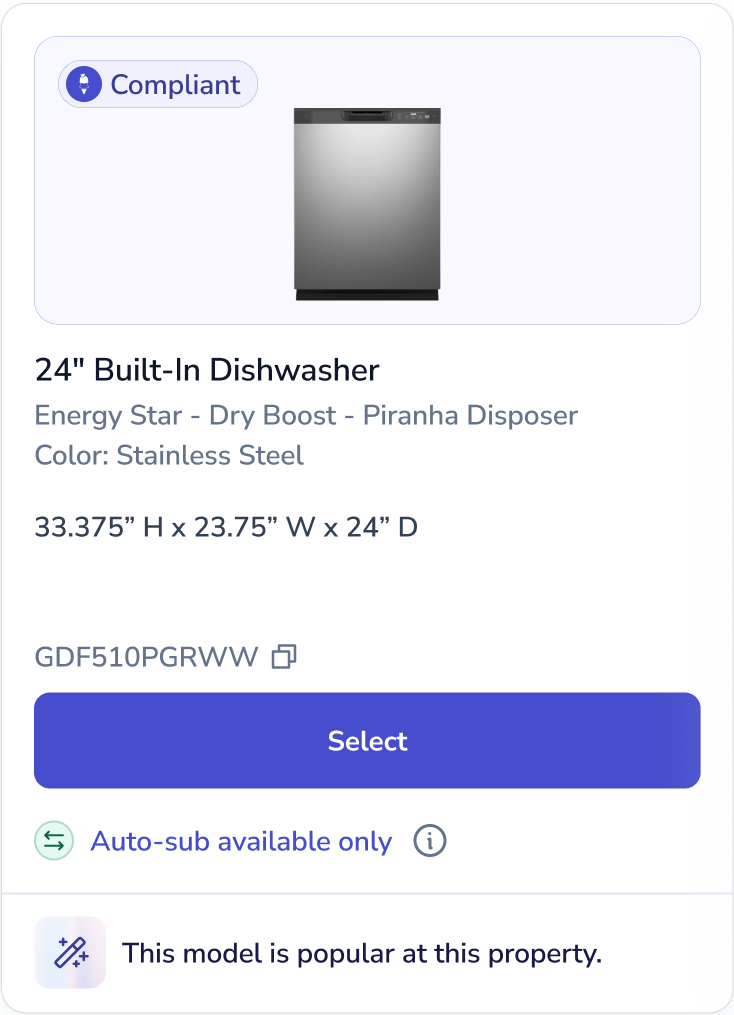
Enter the address. Sibi recommends a system type and tonnage from the property details, then shows AHRI-verified matchups: indoor and outdoor units tested together as a certified set. Change the tonnage, system type or distributor, and see stock before you check out.
See HVAC programs →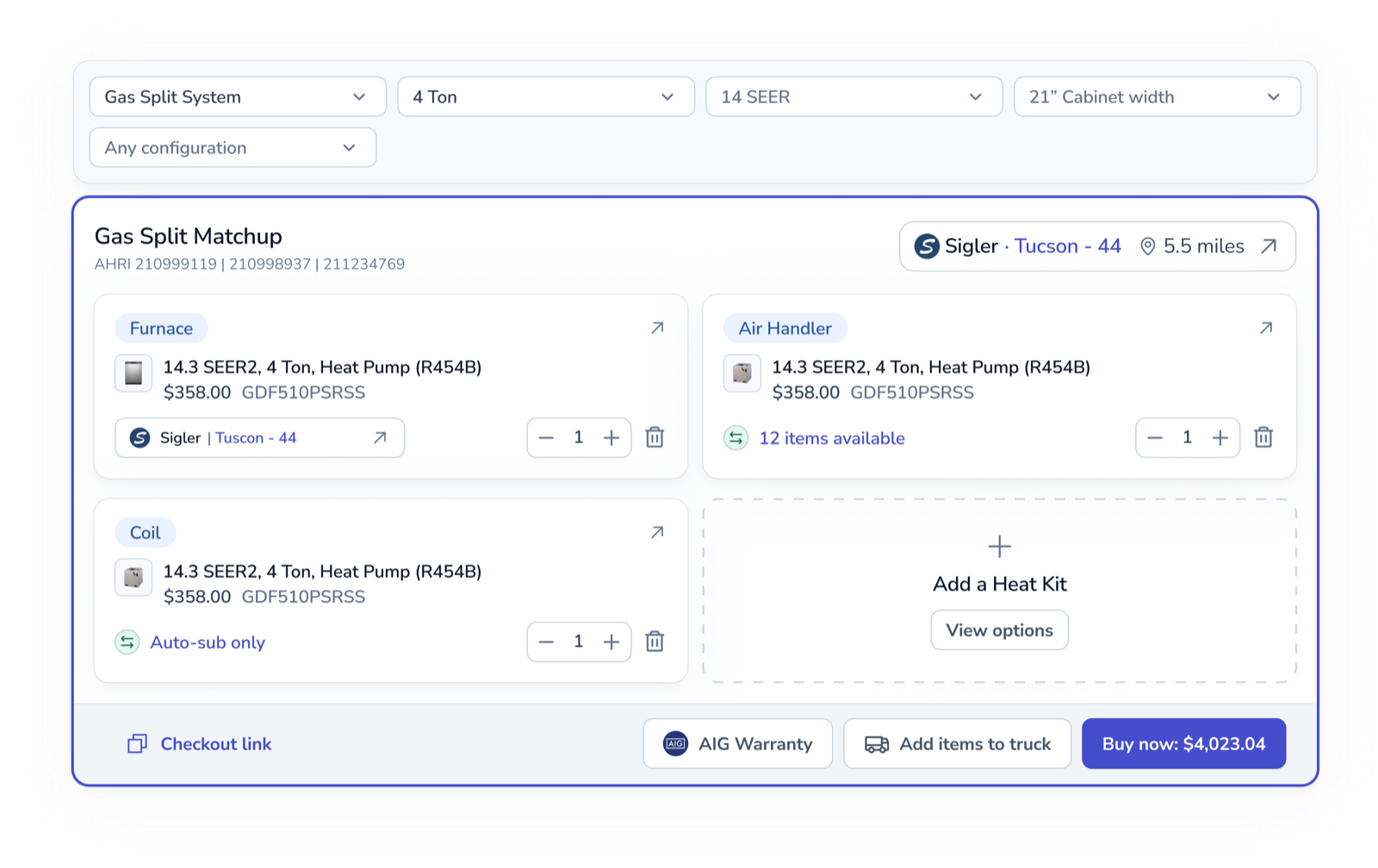
Choose a full interior or specific areas. Sibi calculates gallons for walls, trim and ceilings from bed and bath count, square footage and wall condition, and follows your approved brand, color and finish.
See paint programs →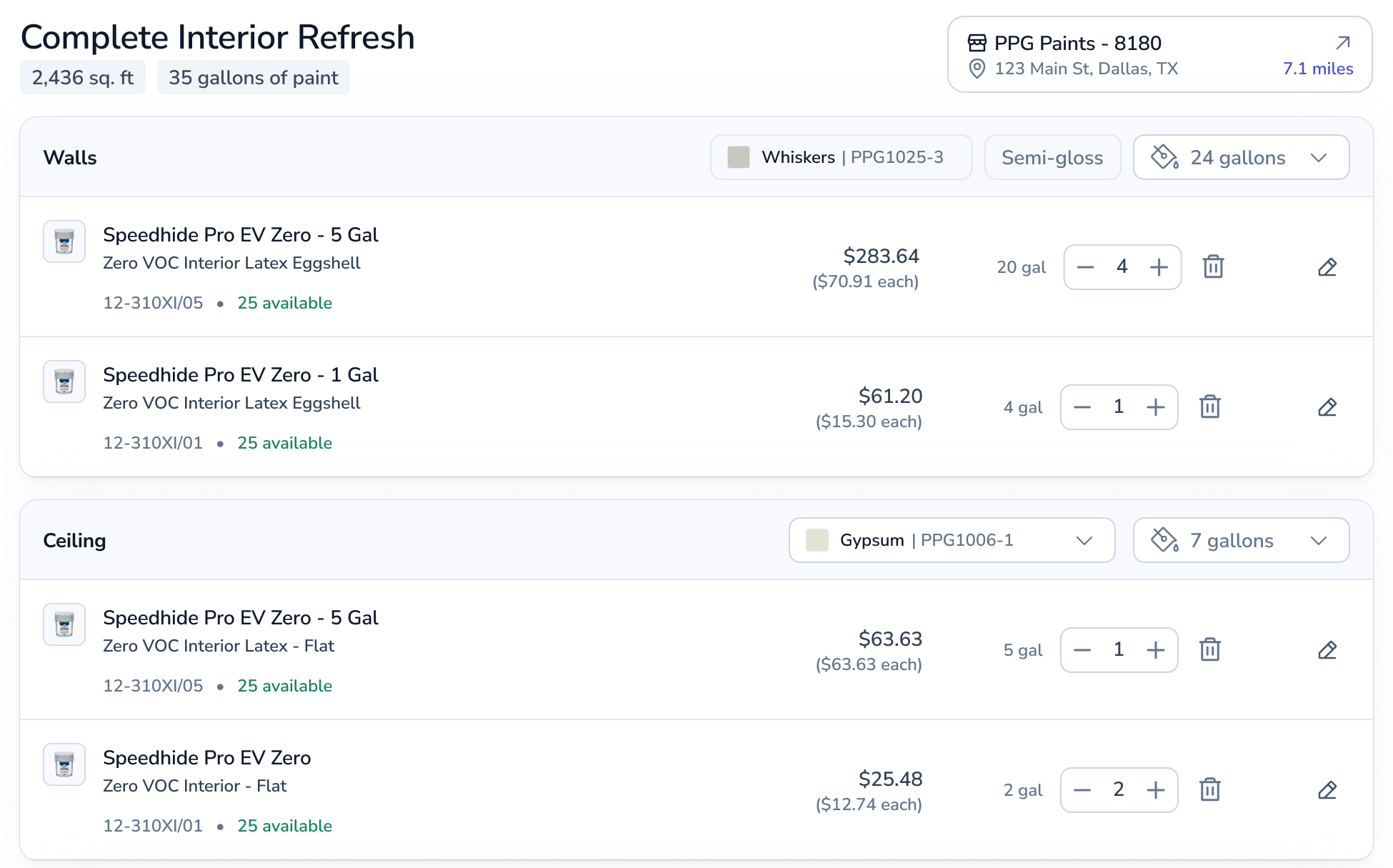
How Smart Shop applies your approved products to every recommendation and order.
Admins choose which products are okay to buy, for all offices or for a specific one.
Approved products per office
Add or update products at any time
Export or clear the list whenever you need
Smart Shop recommends from the approved list and checkout follows it, so every market orders from its own list.
Recommendations come from the approved list
A badge marks products that follow your rules
Filter the shop to approved products only
Common questions about ordering appliances, HVAC and paint with Smart Shop.
Last updated October 9, 2026


